
Lock the 3D viewport to the active camera, so the view always follows the camera.
- Press Numpad 0 to look through the camera.
- Press N to open the sidebar.
- Under the View tab, tick Camera to View.
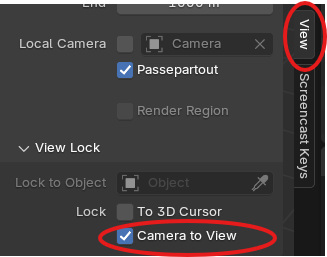
Lock the 3D viewport to the active camera, so the view always follows the camera.
Powered by BetterDocs