
Step-by-step recipe for baking a texture map in Blender — from enabling GPU rendering to linking the baked image back to the material.
1. Enable GPU rendering #
Preferences → System → CUDA → tick both boxes below.

2. Switch to Cycles GPU rendering #
Right-side bar → Render panel (camera icon) → Render Engine → Cycles; Device → GPU Compute.

3. Add a plane and a new material #
Shift-A → Mesh → Plane. Select the plane → left-side bar → New material.
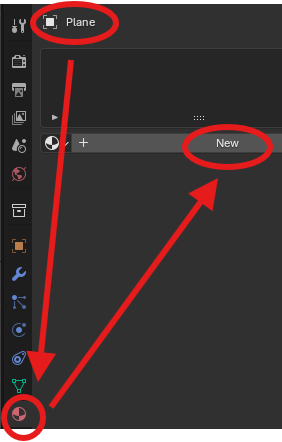

4. Open the Shading workspace #
Top bar → Shading.
5. Add an Image Texture node #
Shader editor → right-click → Add → Texture → Image Texture. Add “Image Texture” → New / Open image.
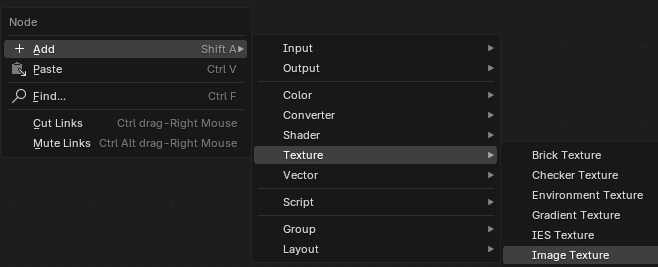

6. Bake #
Select the plane → right-side bar → Render panel (camera icon) → Bake.

7. Link the baked texture to Base Color #
(After the baked image is done) → link the texture color to the Base Color dot.

YouTube video :
How To Bake Texture Maps | Blender 3.5 Beginners Tutorial
YouTube video :